Showing posts with label Digi Scrapbooking. Show all posts

Friday, September 28, 2012

Summer Scrapbook Pages

Here is a double layout I created for a scrapbook class.  The squares are punched out of the Summer Smooches DSP with the Postage Stamp punch .  The flowers are quick and easy to make with layering circle punches and roughing up the edges. Then add an embellishment! To get a closer look, click on the photos.


Thanks for stopping by. Leave a comment, I'd love to hear from you!
To place an order, please contact me or order on my online webstore.
Keep Creating,
Barbara Pisciotto
Stampin' Up! Demonstrator and Paper Craft Instructor 

Thursday, May 3, 2012

My Digital Studio Collage


Recently I was at Stampin' Up! demonstrator meeting and I presented projects using My Digital Studio.  Here is one of the projects I presented.


This year my husband and I will be celebrating our 20th wedding anniversary. I love how quickly this came together. I added some brads from the SAB mini, pearls and rhinestones to add some dimension. Another way to add dimension is by using the shadow tool.

I hope you like the project!

Barbara Pisciotto
Independent Stampin' Up! Demonstrator

Friday, February 3, 2012

My Digital Studio Free 30 Day Trial


Stampin' Up! is now offering a FREE 30 day trial of My Digital Studio.  I absolutely LOVE My Digital Studio.  Also what is so great is that Stampin' Up! has an online community, mydigitalstudio.net totally dedicated to My Digital Studio and that is OPEN and FREE to everyone!  There are so many great ideas, tips, sharing going on there. Check it out you won't be disappointed!

Here are a few FAQ about My Digital Studio for 30 Days FREE!  Please contact me with any questions you may have!

With the FREE trial, you'll get:
  • Full access to the software at NO COST.
  • Full design functionality.
  • Exclusive artwork that comes with My Digital Studio Express. My Digital Studio Express includes one stamp brush set, 12 Designer Series Paper patterns, 81 embellishments, 26 punches, and 5 designer templates. 
  • Opportunity to purchase additional downloads from designer templates to stamp brush sets--and everything in between.
  • Access to our professional print services.
What's the difference between My Digital Studio and My Digital Studio Express?My Digital Studio Express is My Digital Studio software that you can download directly to your computer without having to wait for discs to be shipped to you. The program functionality is exactly the same as the disc version of the software with less digital content. You can watch a quick video explaining the difference between My Digital Studio and My Digital Studio Express here.

What are the system requirements to use My Digital Studio?You can see the system requirements for My Digital Studio here.

How do I order the My Digital Studio Express Trial?
You can order My Digital Studio Express through my online store.You will need to register on my online store first.

How do I install the My Digital Studio Express Trial software after I have ordered it?
You can access My Digital Studio Express Trial download through the Downloads section of your account. Make sure you select Mac or Windows, and the download and install wizards will walk you through the rest of the process.


Is the trial version of the software different from the paid version of My Digital Studio Express?
No. When you order the My Digital Studio Express Trial, you will receive the full version of My Digital Studio Express. The software will function exactly the same as if you had purchased the software--you can design, purchase downloads, and print. The only difference is that you can only use the trial version for 30 days.


Can I place a print order with the trial version?
Yes. You have full access to everything you can do in My Digital Studio for a full 30 days. This includes full designing functionality, printing, and the ability to purchase downloads.

Do my 30 days start as soon as I download My Digital Studio?
Your 30 day trial period starts as soon as you launch the program. It does not matter when you download the program, your 30 days will start as soon as you actually launch (open) the program.

How do I purchase My Digital Studio after the trial period is over? Simply add My Digital Studio (item 118108) or My Digital Studio Express (item 124483) to your next order. If you order My Digital Studio Express, you will not need to reinstall the software. A product key will be e-mailed to you; after you complete your purchase, just enter that product key when the program prompts you to. If you purchase the disc version of My Digital Studio, you will need to use the installation discs in order to access the included digital content. The installation wizard will walk you through the process, including entering the product key (which you'll receive with your shipped discs). You will not lose any downloads or projects from your 30-day trial period.  

Can I use My Digital Studio digital downloads in other design programs?
Yes. The My Digital Studio digital downloads will work with any digital design program.

What if I don't want to purchase the software at the end of the trial period?
You can uninstall the software at any time.

How do I use My Digital Studio?
We have several videos and resources available for both you on the training section of MyDigitalStudio.net that will help you learn how to use the program.

I will be offering a FREE My Digital Studio class.  Check back for dates and times!

If you have any questions feel free to contact me!

Barbara Pisciotto

Sunday, July 3, 2011

Grunge Goes White

Stampin' Up! has a great download available called Downtown Grunge Photobook Template.
I love this download and see myself using it for many future pages.  I started to work on scrapbooking our Disney photos from 2009. I wanted to keep the layouts simple, clean and cohesive through out. So, when I saw the Downtown Grunge Templates, I knew this was it!  One of the things about Disney that I like is how colorful it is.  So I decided to remove the paper bag background paper and leave it white. I used the elements in the kit for may pages along with some other embellishments.  I'm going to add the journal notes by hand. To see more Disney layouts go here.


Thanks for stopping by!
Barbara Pisciotto

Wednesday, June 1, 2011

MDS Page & Last Chance...

to get retiring stamps, accessories and Definitely Decorative products before they are gone!


Now through June 30 you can purchase stamp sets that will be retiring from the 2010-2011 Idea Book & Catalog.  While supplies last you can purchase accessories and Definitely Decorative products.

Check out all the Last Chance items here on my website and place your order.  Any questions feel free to contact me.

Clear Mount Stamps
Wood Mount Stamps
Accessories
Definitely Decorative
Discounted Products

Here is a scrapbook page I made using My Digital Studio.  We had an amusement park called "Kiddie Land" near my home.  It was there for so many years, in fact, I went there as a kid!  Unfortunately, they have torn it down and replaced it with Costco. Although it's nice to have a Costco, but I'd rather have Kiddie Land.  Many wonderful memories there both as a kid and with my kids!


Enjoy your day & thanks for stopping by!

Barbara Pisciotto

Monday, May 9, 2011

Family Scrapbook Pages

I've been trying to get my scrapbook up to date before my daughter, Sera's, 8th grade graduation. It's not going as fast as I'd like but even though I won't be caught up, I'm a few pages closer than before!

If you want more information about My Digital Studio, then feel free to contact me or you can check out the My Digital Studio page above for more information.  Here is a two page spread I made with My Digital Studio.  Click on the images to view them larger.


Have a great day!
Barbara Pisciotto

Tuesday, March 15, 2011

Sponging In MDS

Today I have a scrapbook layout that I created in My Digital Studio {MDS}.  Have I told you that I {Heart} My Digital Studio!  It is such a great program and I'm learning so much.  The other day I learned a technique from Leah Fedynak on the MDS website, www.mydigitalstudio.net.  Click here for the tutorial. If you have not checked out Stampin' Ups! MDS website go there now!  Anyone can sign up to join the community, it's FREE and has a ton of inspiration, ideas, tips, tricks and much more!


I love these pictures of my girls.  They look so sweet and cute. Now they are growing into beautiful young ladies. [well sometimes not acting like young ladies, lol]

If you would like to learn more about My Digital Studio check out the website and contact me to order your software today! You can earn a free Sale-A-Bration stamp set or more with every $50 you spend through March 31. I'd be glad to meet with you to teach you more about MDS!

Have a great day!
Barbara Pisciotto

Saturday, March 12, 2011

Growing Up Quickly

I've been organizing my digital photos and came across some pics I thought I'd scrapbook using My Digital Studio.

These pics were taken in 2005 time sure does fly by!  If you would like to know more about My Digital Studio you can go to here for information & inspiration!  I'd be glad to sit with you one on one to learn more about our software.


Have a great day!

Barbara Pisciotto

Tuesday, February 8, 2011

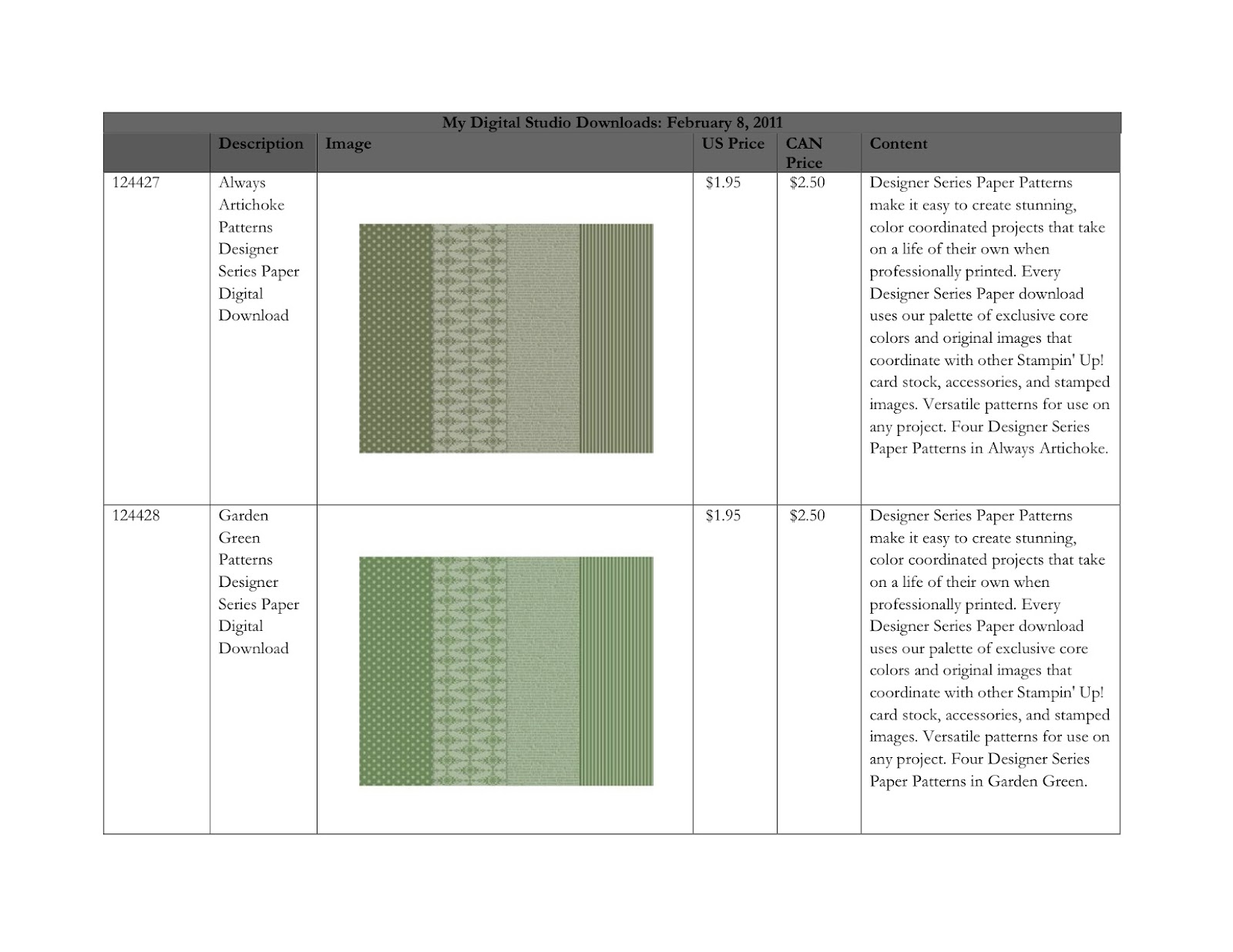
New My Digital Studio Downloads

Just about every Tuesday, Stampin' Up! releases new downloads for My Digital Studio.  Here are the downloads released today.  To view all the digital downloads click here. For more information on My Digital Studio click here.  Feel free to contact me to see My Digital Studio in action!

Have a great day!
Barbara Pisciotto

Tuesday, January 25, 2011

Project 52, week 3

I just finished up my week 3 MDS page. For more information on Project 52 go here.

Sera is now 14 years old and will be graduating 8th grade. I can't believe how big my baby is getting! Even though this picture is from Christmas Eve and not actually week 3 in Jan, I still wanted to scrap it.  I really would love to get her scrapbook up to date before her graduation, however, I'll need a miracle, I'm only up to 3 years old!


Enjoy your day!

Barbara


Thursday, January 20, 2011

MDS Project 52, Week 1

I'm taking the challenge of completing one scrapbook layout a week. Check out Project 52 and join the fun!  Here is my page for Week 1:


I used Alesha Walls Saturday Scrapbook Challenge #5 layout. You can see her other layouts here. I'm using My Digital Studio to create my pages. This layout uses Stampin' Ups! 2011 Notable Desktop Calendar digital downloads.  

Check out my Cover layout here.

Contact me to learn more about My Digital Studio!

Keep Creating!

Barbara Pisciotto

Tuesday, January 18, 2011

Project 52, MDS Style!

I {heart} My Digital Studio!  Stampin' Up! has a whole website/online community dedicated to My Digital Studio [MDS] and it's open to everyone to join! You will find so many resources all for MDS!

Andrea Bowden has a challenge going on to do one scrapbook page a week, Project 52  At the end of the year, I will have 54 pages completed, well at least that's the plan,LOL!

Here is my first layout, this will be the cover. I based it on Andrea Bowden's layout. For now I filled it with some pics as placeholders but will go back and add 2011 photos from the year.  I'll have my week 1 layout in a few days. Click on the photo to enlarge.


I used the 2011 Notable Desktop Calendar download.  This download is filled with fabulous dsp, calendars, stamps...I also used the Frames with a Flourish stamp set. Even though this stamp set is not available anymore, it is in MDS and so are so many other retired stamp sets but the good news is they don't retire in MDS!  

Click here to learn a little more about MDS or checkout the website at www.mydigitalstudio.net.  If you would like to learn more about MDS contact me, I'd love to sit down with you one on one to show you how to create fabulous digital projects!

Have a great day!

Barbara Pisciotto


Friday, December 24, 2010

Merry Christmas!

I created this in My Digital Studio.  Have a blessed Christmas with your family and friends!  Merry Christmas!


To place an online order with me, please click on the shopping cart image in the right sidebar of my blog or contact me directly at inkitupetc@sbcglobal.net Thanks! Keep Stampin' Barbara Pisciotto

Friday, May 14, 2010

1st Day of School Page

So I've been seeing some MDS pages and cards online and thought I really need to do a scrapbook page.  Here is a page I created with my daughter, Sera's, first day of school photo.  Funny that I choose this subject as she will be done with school in 2 weeks!  I'll have to do a last day of school layout.


To place an online order with me, please click on the shopping cart image in the right sidebar or contact me directly at inkitupetc@sbcglobal.net Thanks! Keep Stampin' Barbara Pisciotto

Friday, December 25, 2009

MDS Christmas Wishes

I created this in My Digital Studio! Enjoy your time with family and friends & have a Merry Christmas!


To place an online order with me, please click on the shopping cart image in the right sidebar.

Thanks!

Keep Stampin'

Barbara Pisciotto

Monday, November 5, 2007

Digi Layouts

I'm behind on my Digi class over at Jessica Sprague
I really like the class and learn a lot, I just wish I had more time. As you can see I haven't done too much stampin' I have a 6x6 scrapbook class coming up and will share those pages when they are complete.


Wednesday, October 17, 2007

Digi Scrapbook Class

I know this isn't stamping but hey it is still something creative. Actually I have done some stamping but unfortunatly I still need to upload the photos to share with you all. Hopefully I will get some up tomorrow. But for now....

I signed up for a digi scrapbook class with Jessica Sprague, http://www.jessicasprague.com/ I'm familar with PS but not with digi scrapbooking, so I thought I'd try it out. Maybe, just maybe I'll get some of this digi photos sitting on my hard drive actually scrapped and into an album! Here are two projects we did, they are very simple and Jessica is very detailed. She uses video tutorials. Check out her site and blog http://spraguelab.squarespace.com/ You won't be disappointed!